Carousel Guides for Photoshop and Canva
These are not finished designs. They are transparent guide layers you put over your work: the zones Instagram covers, the seams between slides and a margin. That way Photoshop or Canva knows where Instagram will draw its interface later. The rest stays your design.
We do not build finished layouts here, on purpose. A template that a thousand other accounts also use makes your feed one of a thousand. A guide tells nobody anything about your style.
Download
All files as a ZIP (with a read-me in German and English, 7 PNG files).
What is in the pack
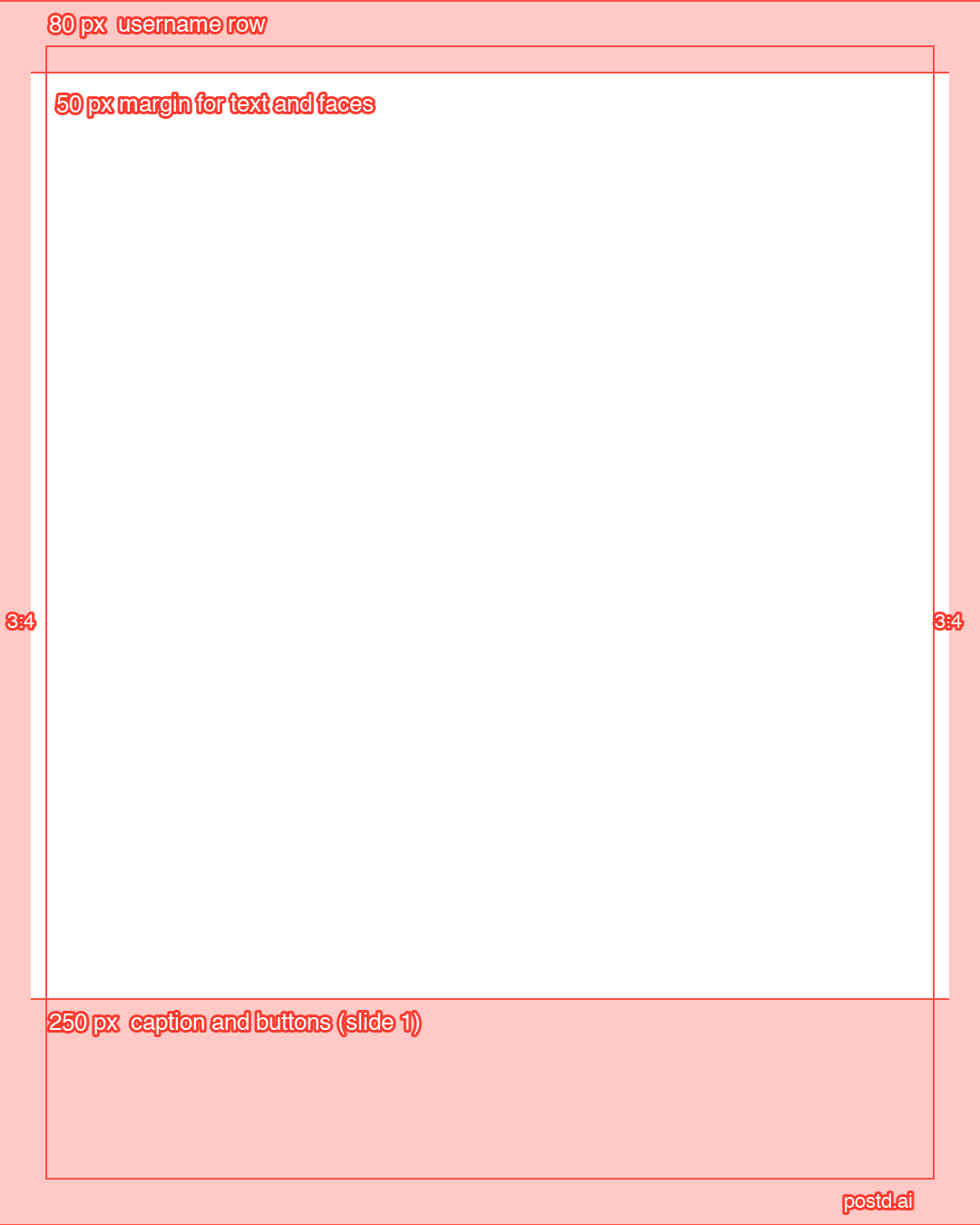
1. Feed slide with safe zones, 1080 × 1350
Red areas show what the profile grid crops (about 34 pixels on each side), the username row at the top (80 pixels) and the caption and buttons at the bottom (250 pixels, on slide 1). The frame marks a 50 pixel margin. slide-4x5-safe-zones-1080x1350.png
2. Panorama guides for 3 to 7 slides
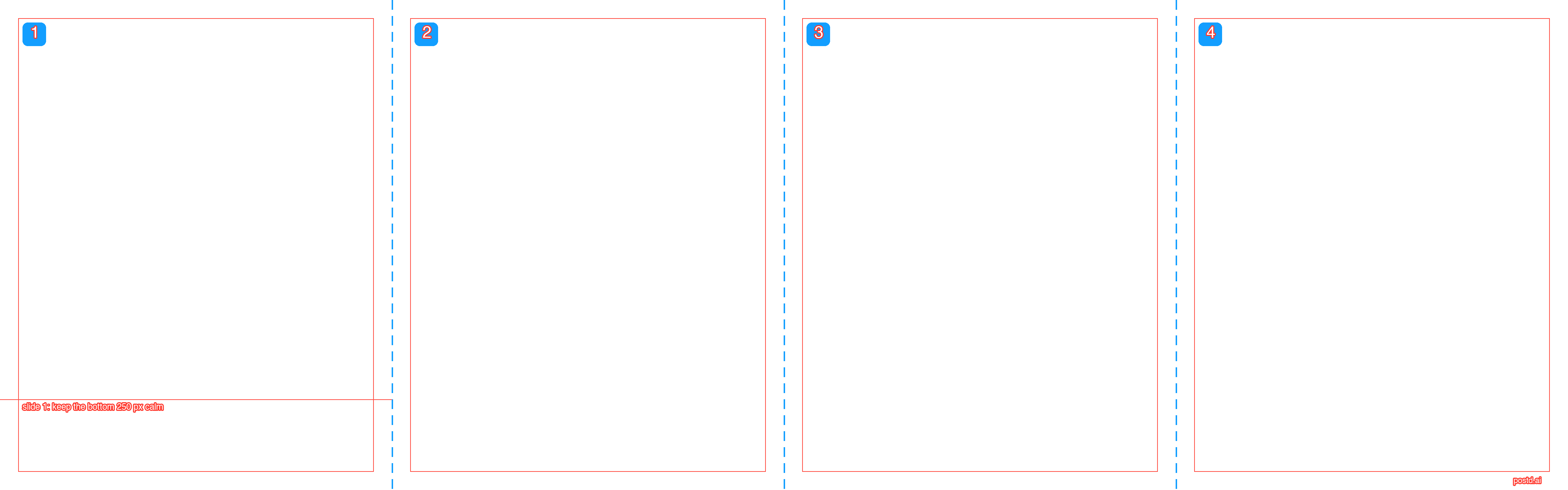
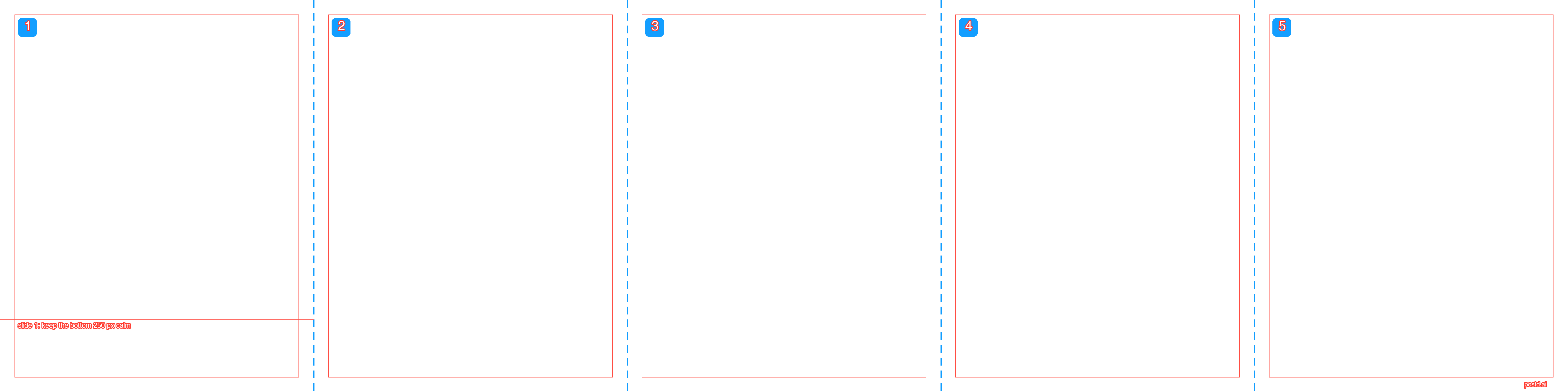
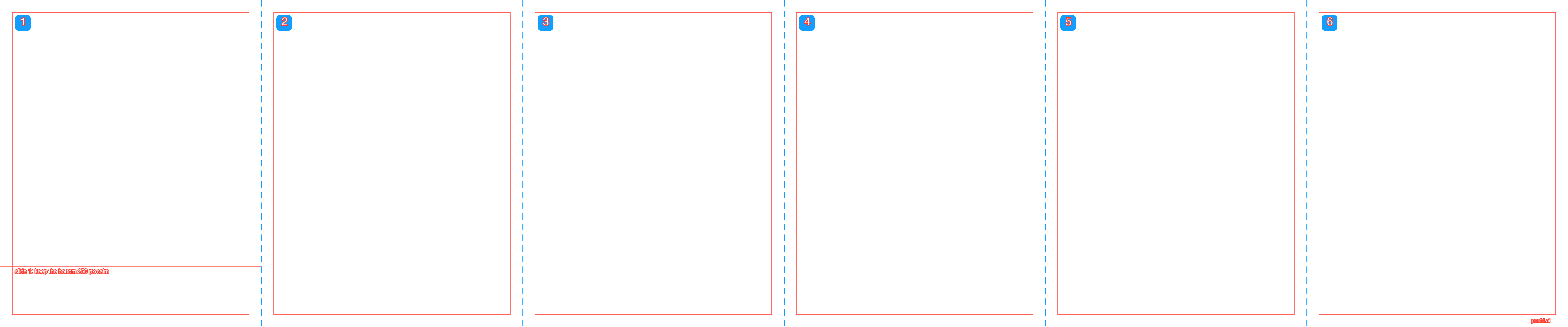
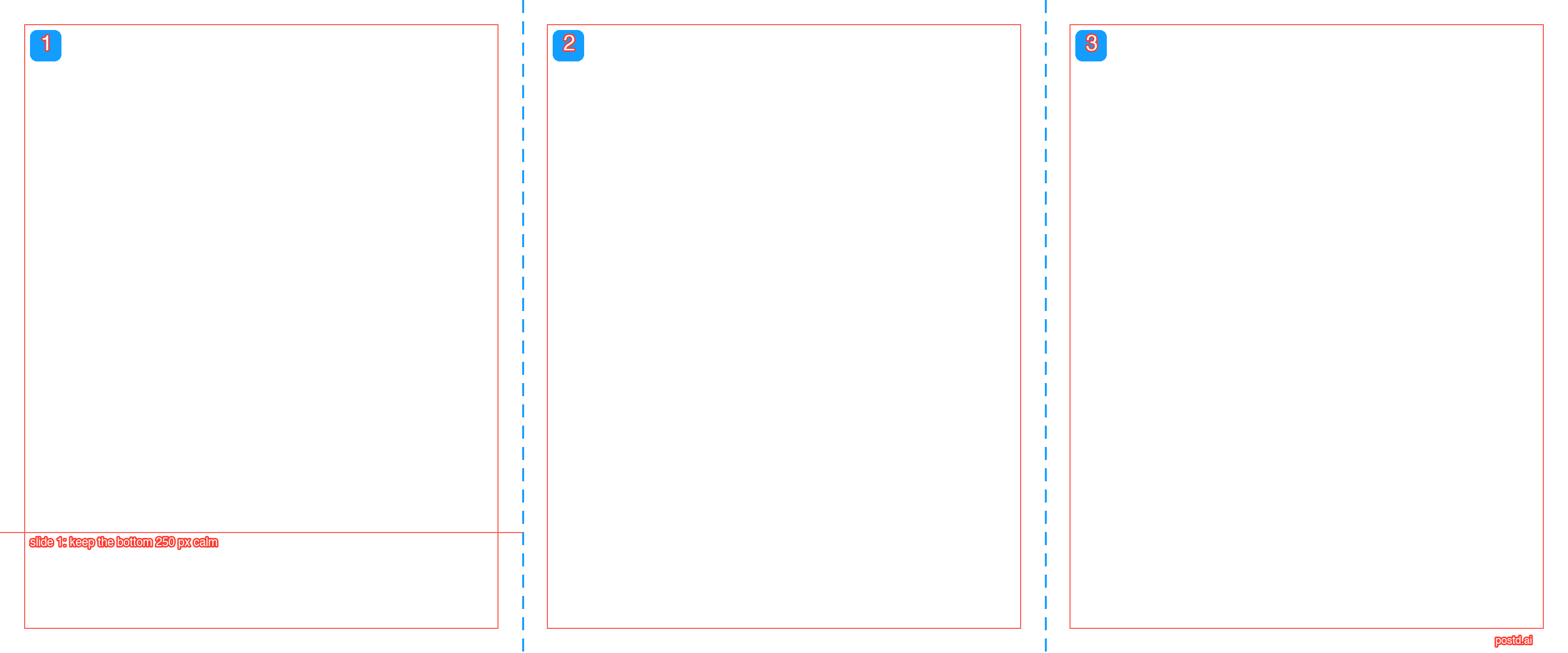
One wide canvas with dashed blue seams, numbered slides and a 50 pixel margin per slide. The width is the number of slides times 1080, the height 1350.
- panorama-3-slides-3240x1350.png
- panorama-4-slides-4320x1350.png
- panorama-5-slides-5400x1350.png
- panorama-6-slides-6480x1350.png
- panorama-7-slides-7560x1350.png

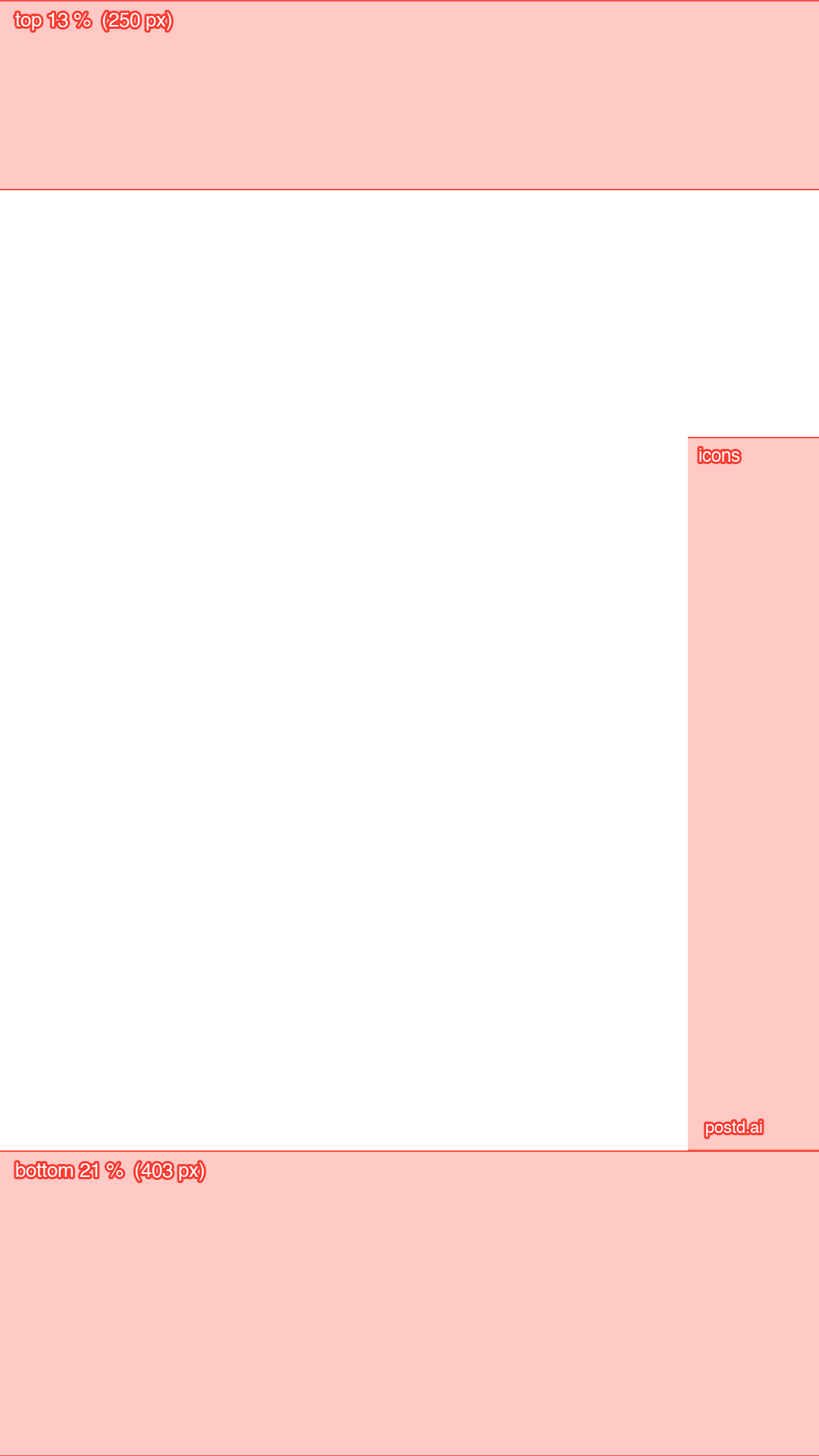
3. Story and Reel with safe zones, 1080 × 1920
Top 13 percent, bottom 21 percent and the icon column on the right. story-reel-safe-zones-1080x1920.png
Use them in Canva
- Create the design at the matching size. For a panorama, take the width from the article Canva seamless carousel.
- Upload the file and drag it onto the page. It has the same size as the page and snaps to the edge.
- Lock it, design, delete it before you download. Or duplicate the page and download only the clean copy.
Use them in Photoshop
- Create a document or artboard at the matching size.
- File > Place Embedded, or drag the PNG into the document.
- Put the layer above all others. Hide it before you export. For panoramas, the article Export carousel slides from Photoshop shows how to cut slices.
Use
Use the files for your own projects and for client work. The numbers match the Safe Zone Checker tool. Instagram changes its interface from time to time, so the zones are guides.
If you do not want a guide file at all
In the Postd editor, safe zones and panorama seams sit right on the canvas, and the export gives every slide at 1080 pixels wide. Pro costs €6.99 a month or €69 a year. Open the editor without an account.
FAQ
What are the red areas in the guide for?
Red marks the areas Instagram covers with its interface or that the profile grid crops. Important text and faces belong in the free area inside the frame.
Which file do I need for how many slides?
The panorama file with your number of slides, from 3 to 7. The file has the same width as your design, for example 3240 pixels for three slides.
Why are there panorama guides only up to 7 slides?
Canva limits the page size, most recently to 8000 pixels. At 1080 pixels per slide that gives seven slides. The files work in Photoshop just as well. For more slides there, set up the guides yourself with View > New Guide Layout.
Do the guides cost anything?
No, you download them without signing in. They are guide lines, not a design, and are meant to disappear before the export.